SalesMate + Help Menu

Tip of the Day

Register

Help Topics

Menu Shortcut keys

Updates

About SalesMate +


Tip of the Day

Tip of the day is useful as user can learn about the main functionality of  SalesMate + day by day. The tip of the day window is as shown in fig a.
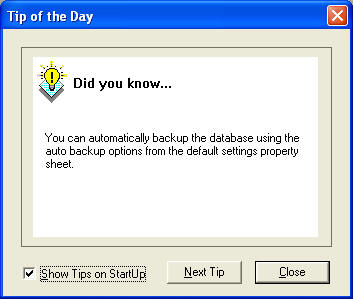
Fig a. Tip of the Day

Register

This menu enables the user to register SalesMate + product so as to use it after the evaluation period. You can enter your registration details here. The registration name will be automatically updated in the shop name. Normally the registration key is generated for the given shop name. Please make sure you use exact registration name and key. Otherwise the program will not accept the details. All the bills printed will have this Registration name/Shop name. The register dialog is as shown in fig b.
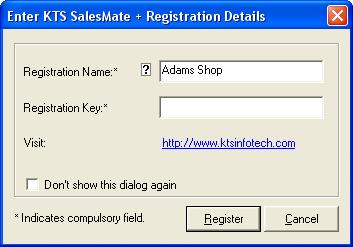
Fig b. Register Dialog


Help Topics

This displays the help file contents.

Menu Shortcut Keys

This displays the menu shortcut key dialog box as shown in Fig c. You can customize all the menu shortcut keys of your preference using this dialog.
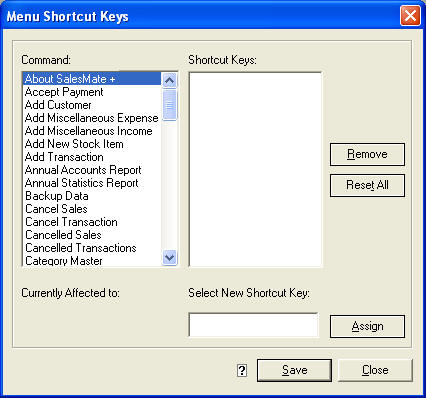
Fig c. Menu Short cut key dialog.


Updates

Check For Updates

Check For Updates

This checks for POS Updates from our website.

About SalesMate +

 This menu invokes the about box which displays the copyright and other informations.  
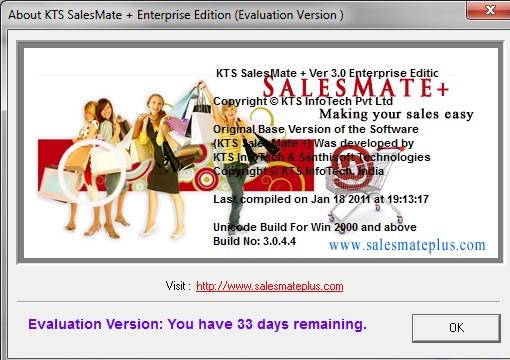
Fig d. About SalesMate +

HELP MENU | FAQ

+What is included in the Help Menu of SalesMate + GST Billing Software?
 The Help Menu in SalesMate + includes options such as Tip of the Day (daily usage tips), Register (to enter license information), Help Topics (full help file content), Menu Shortcut Keys (customize keyboard shortcuts), Updates (check for software updates), and About SalesMate + (version and copyright info).
+What is the Tip of the Day feature in the Help Menu?
The Tip of the Day shows helpful messages or tips about using the software’s features and can guide new users through learning key aspects of SalesMate + step by step, improving usability and reducing onboarding time
+How do I access the full help documentation from the Help Menu?
Use the Help Topics option in the Help Menu to open the complete help file contents, which provides detailed explanations of menus, workflows, and features throughout SalesMate + — serving as the software’s built-in user manual. 
+What does the Menu Shortcut Keys option do in the Help Menu?
The Menu Shortcut Keys option displays a dialog showing keyboard shortcuts for various features in SalesMate +. You can view these shortcuts and sometimes customize them to streamline your workflow for faster navigation and operation.

Copyright © KTS InfoTech 2004 - 2026. Site Developed Using KTS WebCloud
Go to SalesMate + Facebook PageGo to SalesMate + Twitter PageGo to SalesMate + Youtube Video ChannelGo to SalesMate +  BlogGo to SalesMate + Instagram Page